Walmart Experience Quality · 2024–2026
Inclusive design before development
I designed and delivered an accessibility curriculum for designers: hands-on Figma practice, job aids, and a peer champion model to support accessibility decisions before handoff.
Snapshot
- 16
- Designers in original team
- 2 grew to 5
- Named peer champions
- 5
- Recurring defect topics
- 8
- Required 2024 training sessions
- Role
- Accessibility-focused Staff UX Designer, hired to implement accessibility in design and move quality decisions earlier in delivery.
- Team
- The original team included 16 designers and two named peer champions. The group later grew to five as the scope expanded. Accessibility was already an organizational initiative before I joined, and a contracted service did the manual testing.
- I owned
- The 2024 training series and its 2025 refresh, the champion role definition and coaching path, the escalation boundary, and the job aids, checklists and annotation references designers worked from before handoff.
Problem
Designers needed accessibility judgment before development started
The same accessibility issues surfaced repeatedly in design reviews: color contrast, labels and alt text, unique button labels, headings and hierarchy, and page titles. The opportunity was to move accessibility judgment upstream into everyday design practice.
Late fixes cost more
Rework landed on design and engineering together, and delivery slowed while it was sorted out.
Missed decisions became barriers
Associates could meet them in the workflows they rely on to do their jobs.
Judgment had to sit with the designer
They needed practical ways to recognize common risks before handoff, without waiting on a specialist review.
Success
I watched for less coming back in review and harder questions from champions
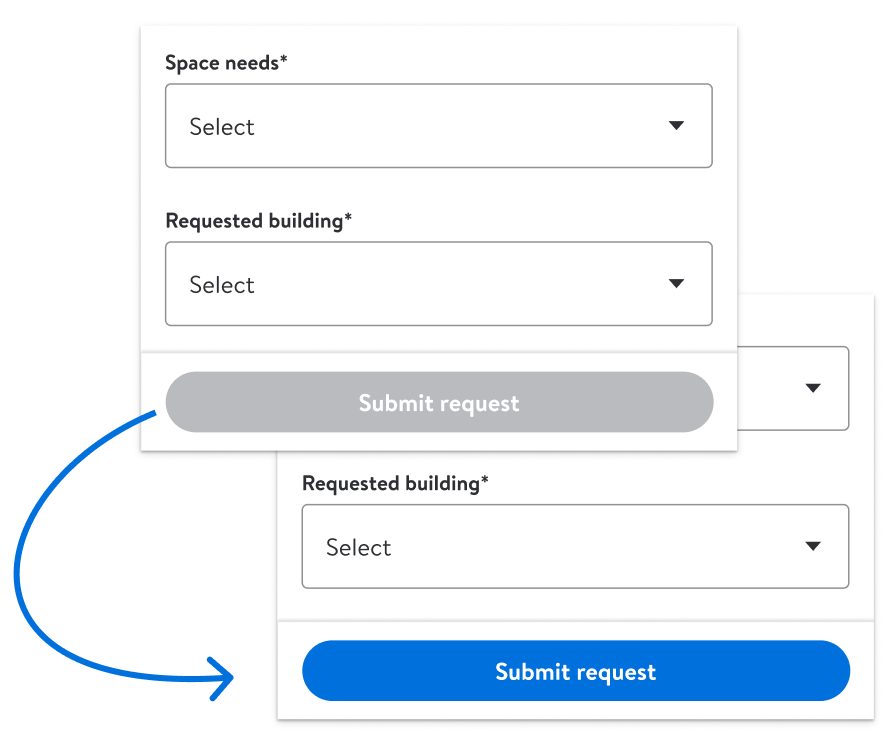
Those two I could only read over time. Annotation in the files was the third signal, and the one I could see directly.
Role
I built training, champions, and handoff support around recurring review patterns
I was the accessibility-focused Staff UX Designer, responsible for moving the team from specialist-dependent review toward shared first-pass judgment.
- Led required design reviews and used recurring findings to define what training needed to cover.
- Built and delivered the 2024 required training sequence for the original team.
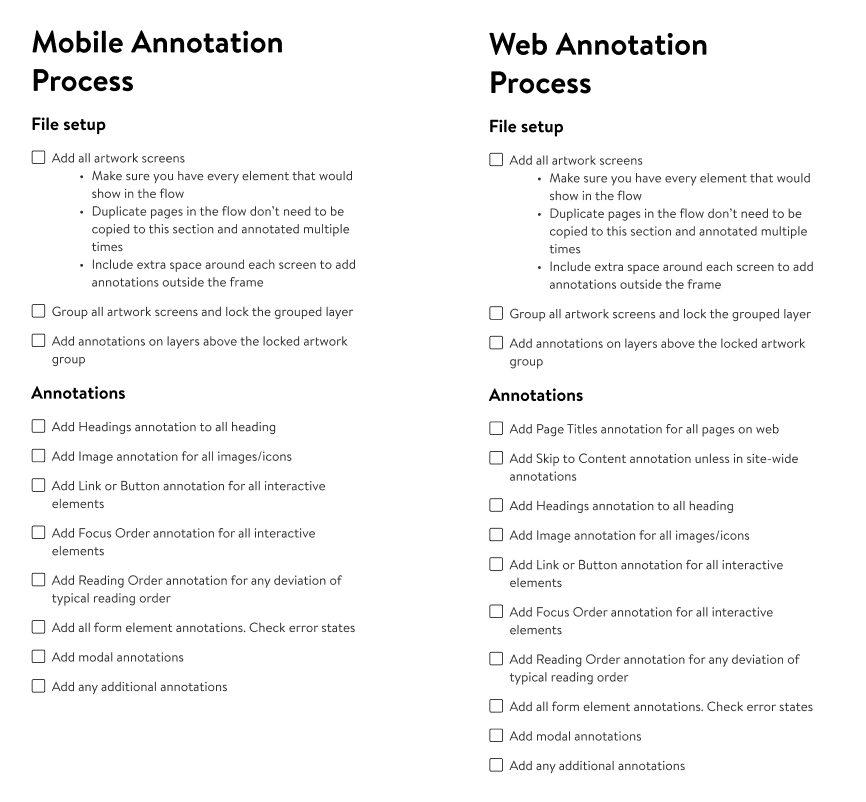
- Refreshed the material in 2025 with longer hands-on sessions and a training file set up for annotation.
- Defined the champion role, expectations, coaching path, and escalation boundary.
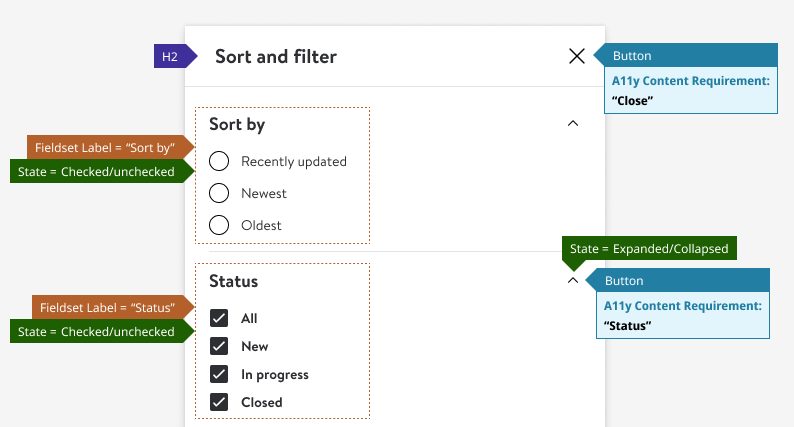
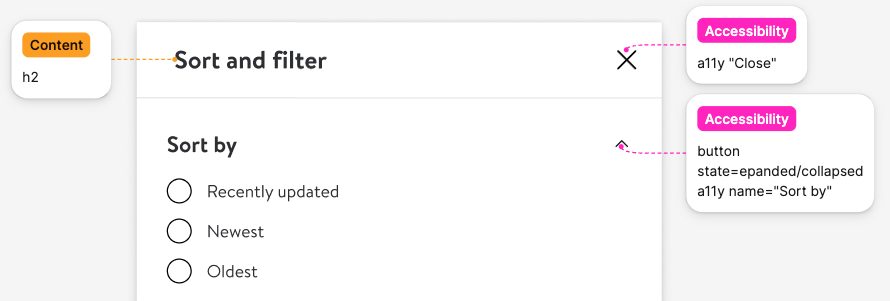
- Created job aids, checklists, examples, and component-organized handoff references.
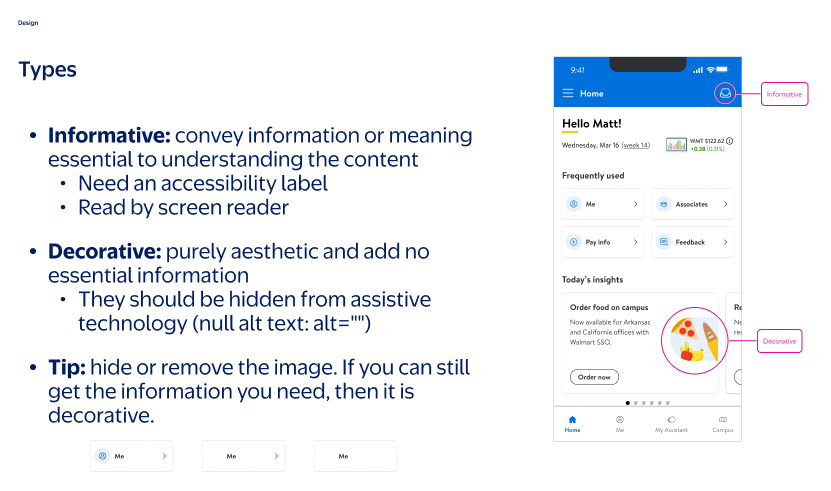
Collaboration
The work stayed close to critique, champions, and handoff
The work ran through places designers already used: critique, champion support, and handoff.
- Peers reviewed work together, tested interpretations, and made accessibility critique part of review before handoff.
- Champions brought examples back to teams and supported small-group practice.
- Handoffs called out labels, hierarchy, component choices, states, and interaction behavior for engineering.
- An outside vendor ran accessibility training for engineers. I joined two sessions and added examples from our own screens alongside the generic ones.
Approach
I moved accessibility learning into the design workflow
I started with what kept showing up in accessibility defect reports and design reviews, then turned those risks into focused training, hands-on practice, peer support, and an escalation path designers could use before handoff.
How the loop worked
- Step 1 · Review real work.Use the two standing weekly design reviews, 120+ sessions over roughly two years, to see where decisions are unclear.
- Step 2 · Spot recurring risks.Identify the defects and handoff gaps showing up repeatedly.
- Step 3 · Teach the pattern.Turn those risks into review callouts and focused sessions.
- Step 4 · Practice in Figma.Apply the guidance through annotation, peer review, and job aids.
- Step 5 · Escalate complex decisions.Route ambiguous or higher-risk issues back to specialist review.
Curriculum
The second round got more time, not more topics
The 2024 series was eight required sessions built on the five defects that kept coming back in review, five of them hands-on. A year later the same five ran longer.
Eight required sessions
Weekly one-hour sessions for the original team, built from what design review kept surfacing. Five of them were hands-on; job aids and checklists carried the rest.
Every extra minute went into practice
The same five hands-on sessions ran ninety minutes instead of sixty, with more examples and a file already set up to annotate rather than built from scratch. An introductory session up front re-established the shared model, and champions helped run the small-group practice.
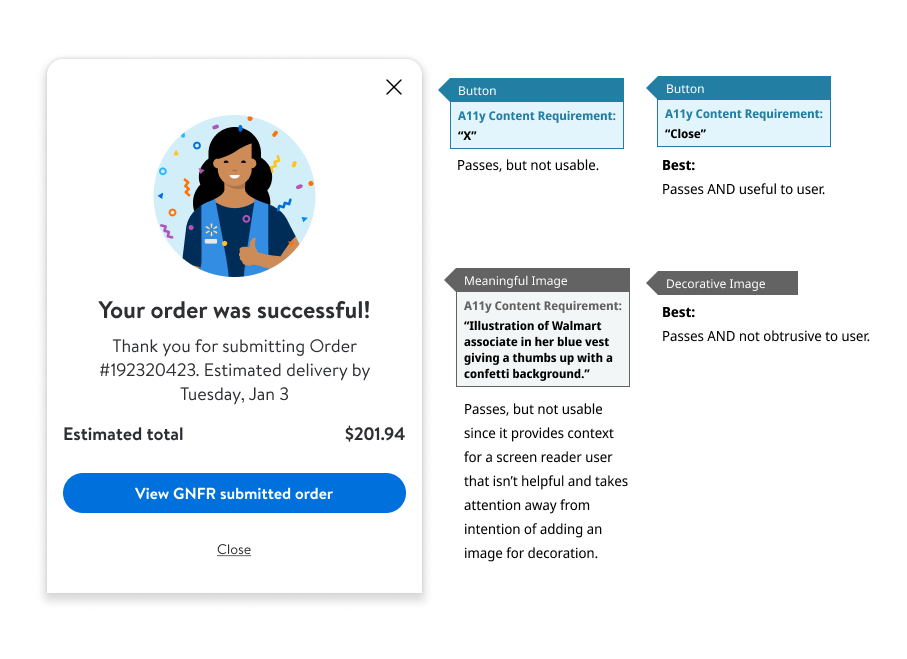
Two topics stayed reference material in both years rather than becoming live sessions. Feedback and topic requests from the sessions shaped what got taught next.
Not everything designers worked on came from the original five. The enabled-versus-disabled button pattern was never one of them, but design review kept raising it, and the design system already documented the enabled pattern as the preferred one, so it drew a lot of discussion and a lot of fixes.
Champions
First-pass support stayed close to the work
Accessibility lead
Coaching and training out
Complex, ambiguous, or higher-risk decisions escalated back here rather than stopping with a champion.
supported
- Named peer championsThe group grew from two to five. Each supported local questions and first-pass review on their own product team.
I coached designers with interest and aptitude to become first-pass support on their teams. They answered common questions and practiced annotations with teammates.
The routing was deliberately simple: designers started with self-review and local guidance, then went to a champion when they needed another read on a common issue or handoff question.
Complex, ambiguous, or higher-risk decisions still came back to me. That kept support distributed without asking champions to become a second approval gate.
Tradeoffs
Practical choices made the model usable
I kept the model small enough to use: teach repeated risks first, let champions support common questions, and keep the approval boundary clear.
Teach repeated defects first
I taught the defects showing up repeatedly, not the full accessibility rulebook. Five familiar risks were something designers could apply to the work already in front of them; full coverage would have been a course nobody finished.
Keep champions out of the approval path
Champions helped locally and escalated harder calls. A peer is easier to ask than a gate, and that only holds while nobody needs their sign-off. It also left me in the path for the harder ones.
Use our own work as the examples
Generic defect examples are quicker to hand out and easier to ignore. Building the examples from screens the team actually shipped takes real time to curate, and it is the part I would spend the time on again.
Outcome
The training reached beyond the original team and moved into active work
The evidence here shows reach, practice, and one champion applying the training independently. It does not measure organization-wide adoption, defect reduction, or product outcomes.
Year two opened the invitation
The eight required sessions were for the original 16-person team; later voluntary offerings drew roughly 20–40 participants per session.
Practice moved into files
Designers practiced annotation, reviewed peers’ files, and used job aids in active work.
The training went with the designer
After changing teams, one trained champion independently identified roughly ten valid accessibility issues in their new team’s designs. The team addressed them.